Upload an Order


Upload an Order
There is another simple way to place an order by uploading an Excel file of your order.
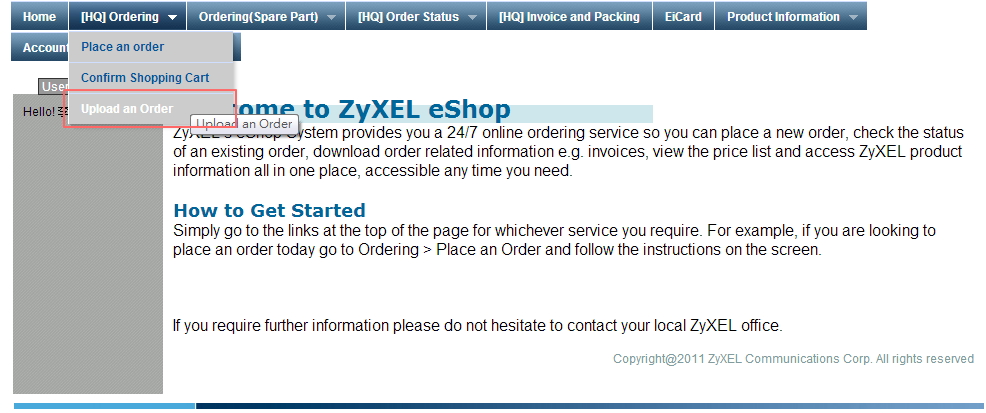
1. Please find and click on the "Upload an Order" options under "Ordering" tab on menu bar.
2. Please click "here" to download Excel template ( *.csv format ) if you use this function for the first time.
There is an example in this web page to illustrate the format for you.
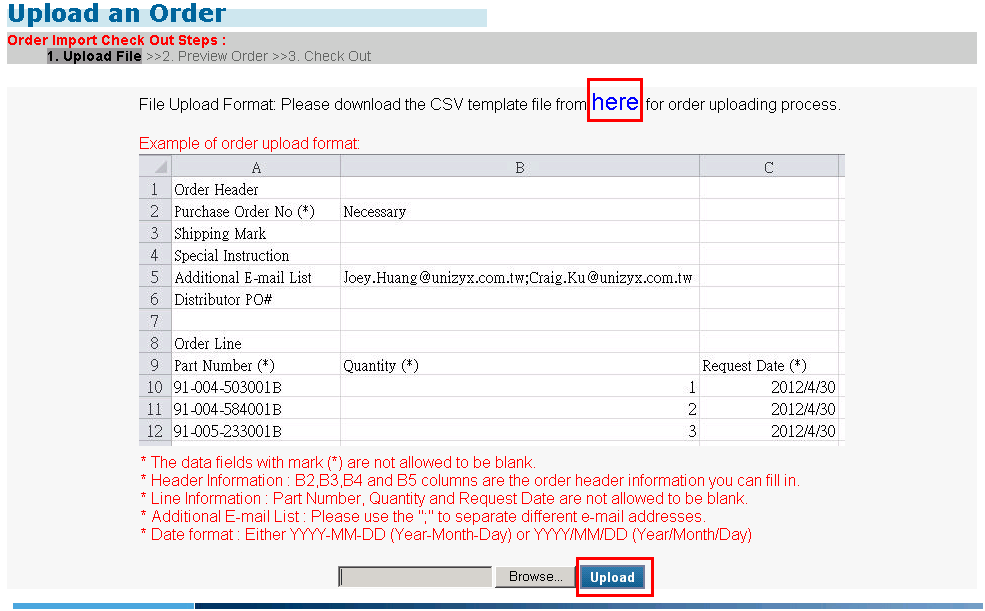
3. After you have filled your order information and detail lines in that CSV file, please select that file by click "Browse" button and click "Upload" button.
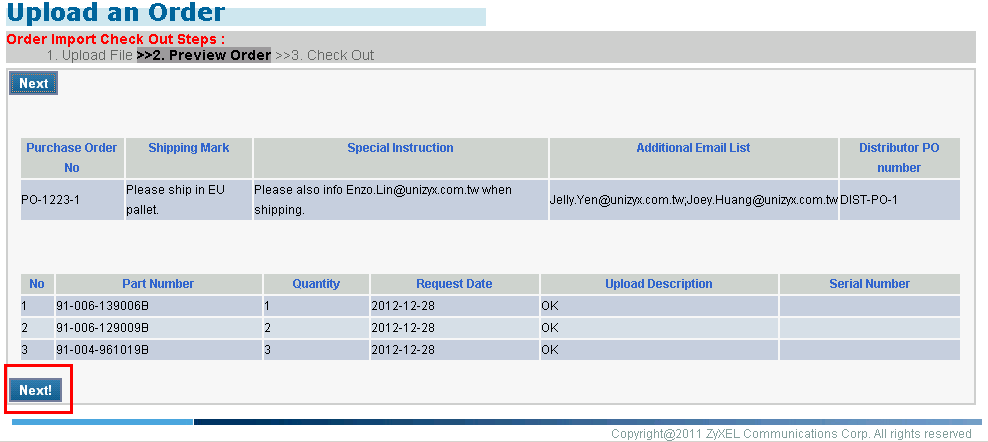
And then system will check your file content and then display the checking result for your review.
After reviewing complete, please click the "Next!" button to complete this order.
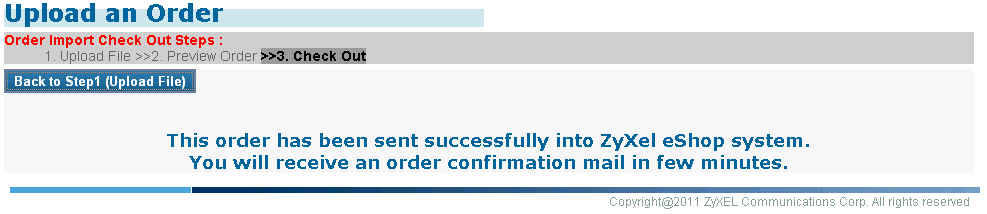
4. After clicking the "Next!" button, system will complete this order and then send order confirmation e-mail to your e-mail lists defined in your "Personal Data" and the Additional Email List in your Excel file.
Created with the Personal Edition of HelpNDoc: Single source CHM, PDF, DOC and HTML Help creation