Ship Order Status Query


Ship Order Status Query
Please follow these steps to view shipped order status:
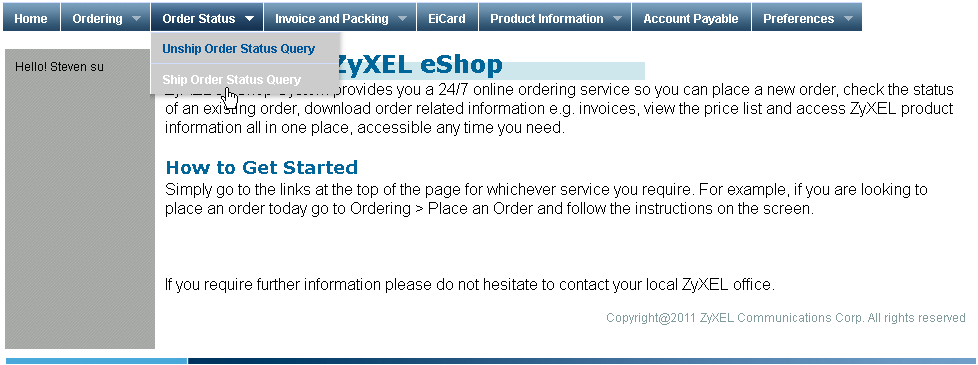
1. Please find and click on the "Ship Order Status Query" options under "Order Status" tab on menu bar.
2. You will see the search form as the picture below that you can search by customer PO number, order date, and actual ship date.
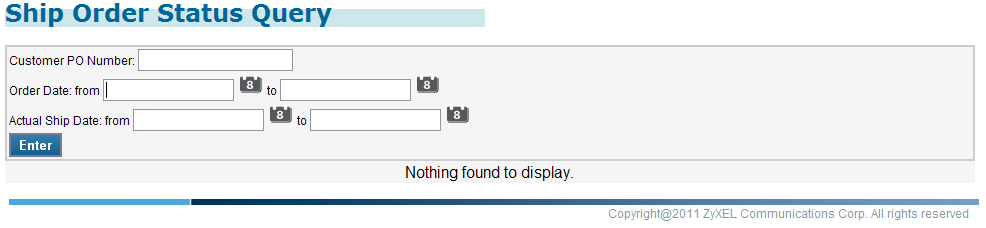
Please fill in the search criteria or leave them all blank if you want to search for all.
Please click on the calendar icon to enter any date for search. A small calendar will pop up, and the date will show on the text box after you pick a date. When you are done with entering search criteria, please click on the "Enter" button.
3. A table orders information will be showed under the search form as the picture below.
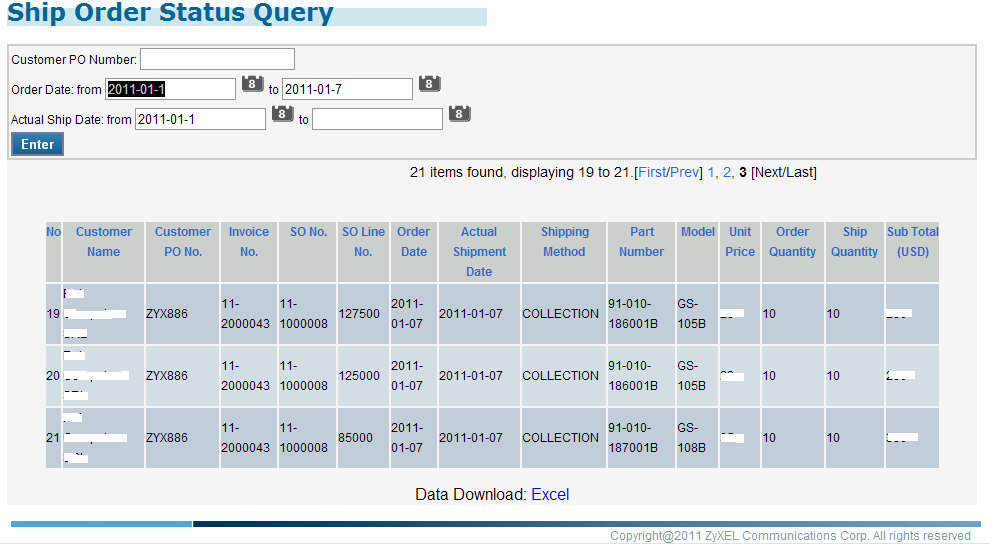
If you want to save the table to a file, please click on the "Excel" link under the table. A message window will pop, please click the "Save" button and then save it on your local computer.
Created with the Personal Edition of HelpNDoc: Produce electronic books easily