EiCard


EiCard
Please follow these steps to view your EiCard information :
1. Please find and click on the "EiCard" tab on menu bar as picture below.

2. You will see the search form as the picture below that you can search by customer PO Number, SO Number , Part Number , Ready to Download , Order Date.

3. The list of EiCard will show in a table under the search form which is as the picture below.
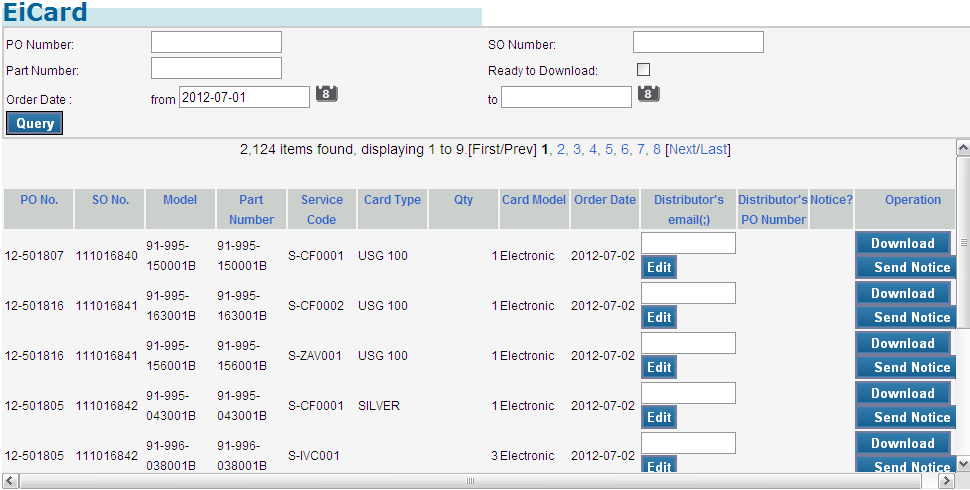
3. Please click "Download" button if you want to download this EiCard.
In case you want to add or modify your email list defined in your original PO Number, please modify the "Distributor's email" field and click "Edit" button to save it to database .
If you want to send EiCard download link again to distributor, please click "Send Notice" button.
Created with the Personal Edition of HelpNDoc: Easily create PDF Help documents