Modify Personal Data


Modify Personal Data
Please follow these steps to modify your personal data such like e-mail address.
1. Please find and click on the "Preferences" tab on menu bar and click "My Profile / Modify Personal Data" as picture below.

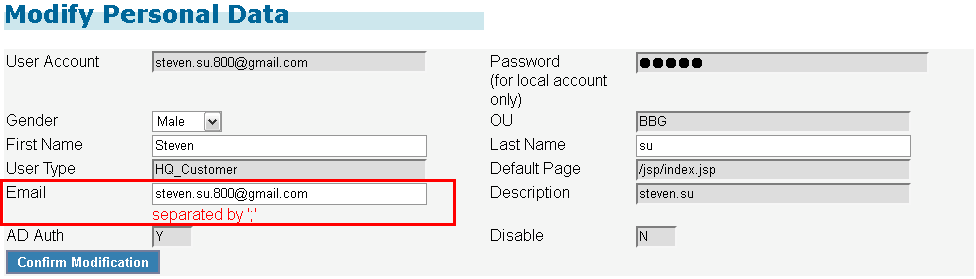
2. And then system will display your personal information as below.
You can add more e-mail addresses in the "EMail" field for system to send order confirmation mail to them.
( Please kindly use ";" as delimiter between e-mail address. )
And then please click "Confirm Modification" button once you have completed your modification.
Created with the Personal Edition of HelpNDoc: Easy EBook and documentation generator